A fish identifier app should do one job well: you show it a photo from your dive and it tells you what you saw. In practice most apps in the store were built for anglers holding a trout on a dock, not for divers holding a blue-tinted photo of a goby on a sea squirt.
We looked at every fish ID app a diver is likely to find in 2027, including the ones from the well-known 2018 Divernet review, and checked what is still alive. Then we took 11 real underwater photos, the kind you bring back from a muck or reef dive, and ran them through the photo identifiers. Below is what we found, with the strong and weak sides of each app.
| App | Best for | Photo ID | Dive log | Works offline | Platforms | Price |
|---|---|---|---|---|---|---|
| Seabook | Scuba divers and snorkelers | Yes | Yes | Yes | iOS, Android | Free to start, Premium from $29.99/yr |
| iNaturalist | Citizen science, all nature | Yes | Sightings only | Partly | iOS, Android | Free |
| Google Lens | Quick free lookup | Yes | No | No | iOS, Android | Free |
| Seek by iNaturalist | Families and kids | Yes | No | Yes | iOS, Android | Free |
| Fins - Fish ID | Divers, newcomer app | Yes | Yes | Not stated | iOS, Android | Free, Pro $24.99/yr |
| John Hoover's guides | Hawaii and Caribbean | No | Simple list | Yes | iOS | $8.99 to $9.99 |
| Picture Fish | Aquarium keepers | Yes | No | No | iOS, Android | Free, Premium $29.99/yr |
| Fishbrain | Anglers | Yes | Catch log | No | iOS, Android | Free, Premium $79.99/yr |
| Whatfish | Offline keyword guide | No | No | Yes | iOS | Free, $9.99 unlock |
How we tested the photo identifiers
We used 11 photos taken on real dives with a mirrorless camera: no stock images, no aquarium shots, no crops. The set mixes easy subjects that every app should know, such as a clownfish in its anemone and a ribbon eel, with the hard ones divers actually struggle with: a bobtail squid half buried in black sand, a cockatoo flounder, a whip coral shrimp the size of a grain of rice. One photo shows only a scuba tank, to see whether an app admits there is no animal or invents one.
Each photo was uploaded once, full frame, without any hint. We counted an answer as correct only when it named the right species, or for the whip coral shrimp, a species that cannot be told apart from it in a photo. A right genus with the wrong species did not count.
We ran Seabook and Google Lens, the two photo identifiers most divers reach for. iNaturalist only shows its photo suggestions on the web after you sign in, so it sits this round out; we plan to add it in the next update.
| Subject | Seabook | Google Lens |
|---|---|---|
| Scuba tank, no animal | Yes | Yes |
| Burrowing urchin | No (another urchin) | Yes |
| Ocellaris clownfish | Yes | Yes |
| Peacock mantis shrimp | Yes | Yes |
| Long-spine porcupinefish | Yes | No (burrfish) |
| Whip coral shrimp | Yes | Yes |
| Ribbon eel | Yes | Yes |
| Cockatoo flounder | No (another flatfish) | No (leopard flounder) |
| Bobtail squid in sand | No (named a fish family) | No (no name) |
| Pikachu nudibranch | Yes | Genus only |
| Electric clam | Yes | Yes |
| Correct | 8 of 11 | 7 of 11 |
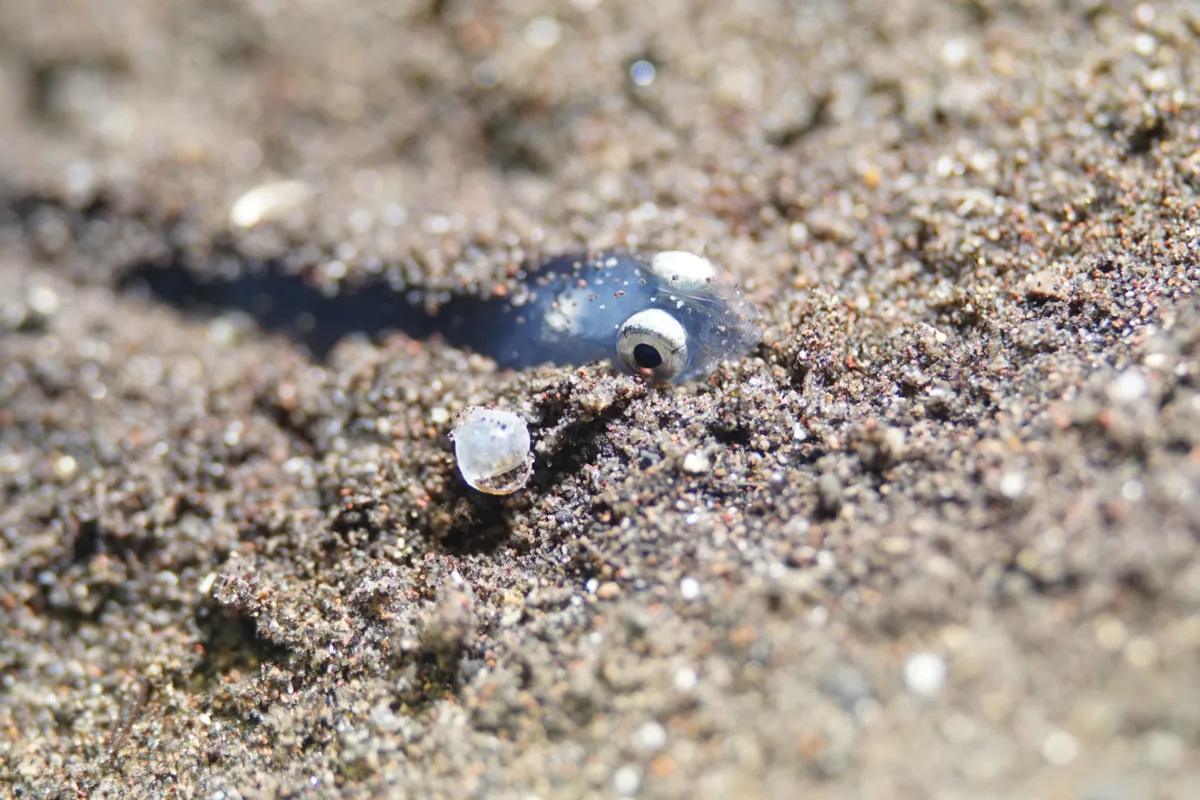
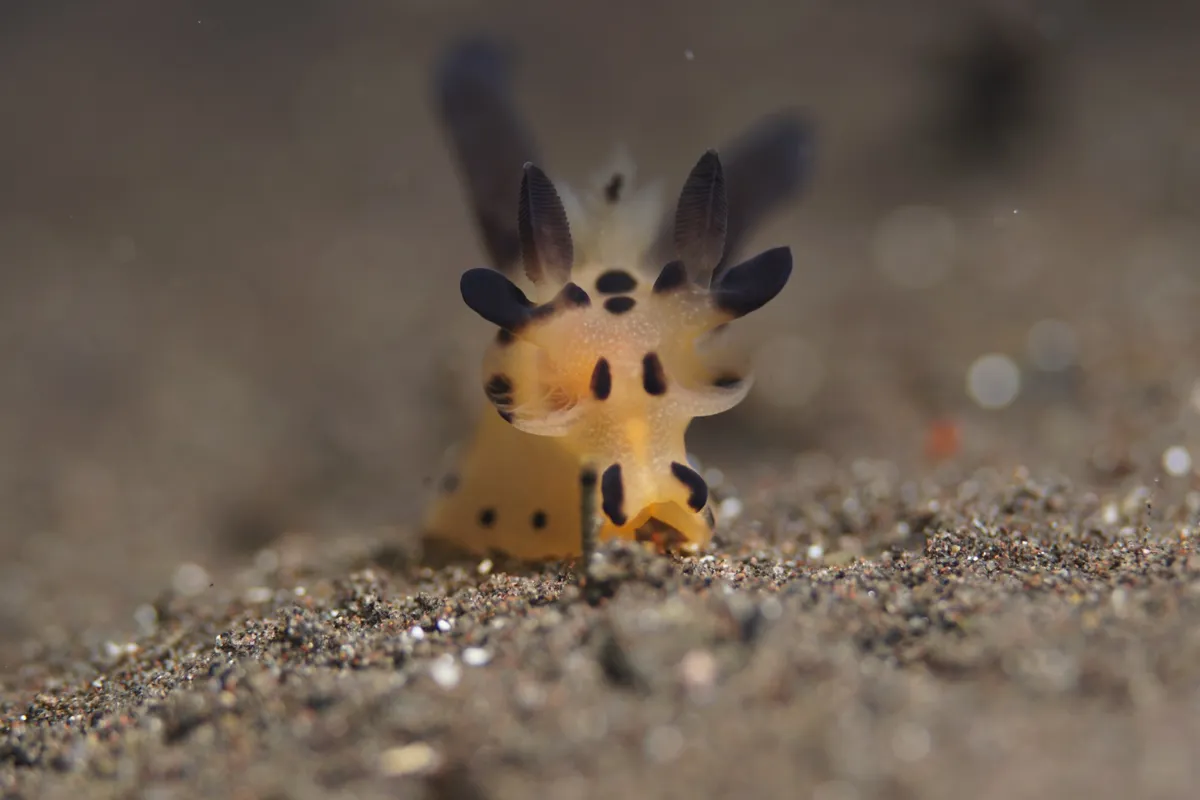
Neither app is perfect, and no app will be on a sand-dwelling squid that shows only its eyes. The difference is in what happens next. Google Lens gives you a name and a list of web pages.
Seabook opens the species page with photos, size, depth and the similar species you can compare side by side, so when the first guess is wrong the right answer is usually one tap away. For the urchin it missed, the correct species was the first alternative Seabook offered.
The best fish identifier apps for divers, ranked
Best overall for divers
Seabook
9.3/ 10
A fish identifier, species guide and dive log in one app, made for underwater photos.
- Platforms
- iOS, Android
- Species
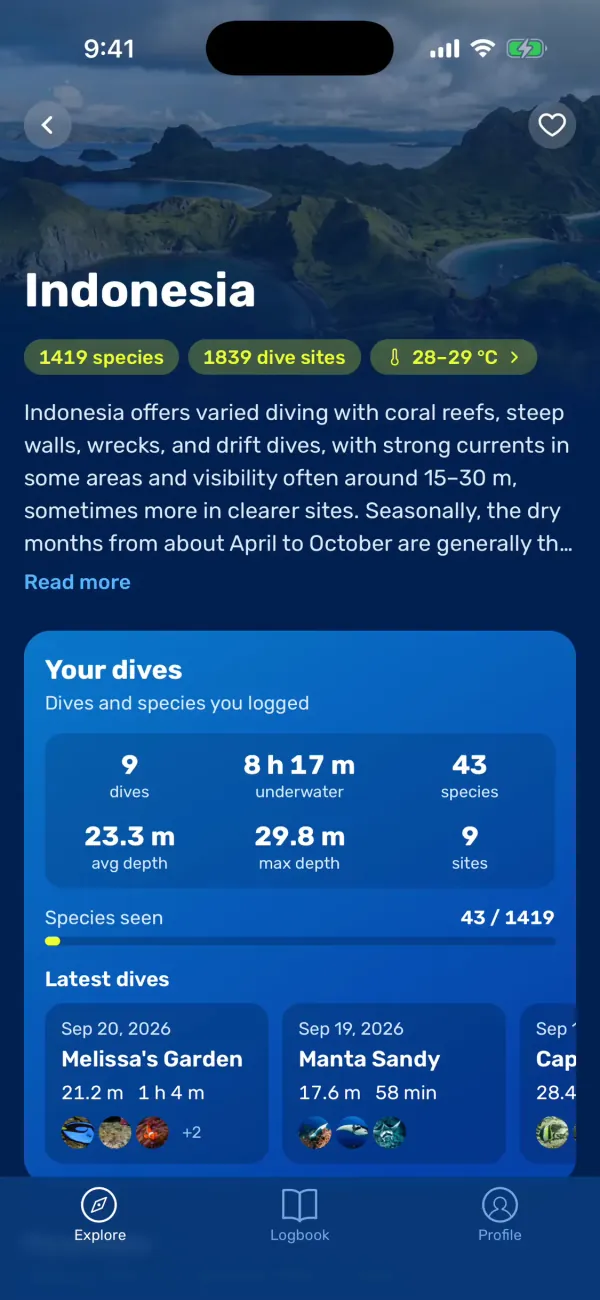
- 2,000+ marine species
- Photo ID
- Fish, invertebrates, corals
- Dive log
- Yes, with dive computer sync
- Offline
- Species guide with Offline Mode
- Languages
- 16
- App Store rating
- 4.8 (246 ratings)
- Price
- Free to start, Premium $29.99/yr or $89.99 lifetime
Pros
- Best score in our photo test, including macro subjects like the Pikachu nudibranch and the whip coral shrimp
- Every answer opens a full species page with similar species to compare
- Says so when there is no animal in the photo instead of inventing one
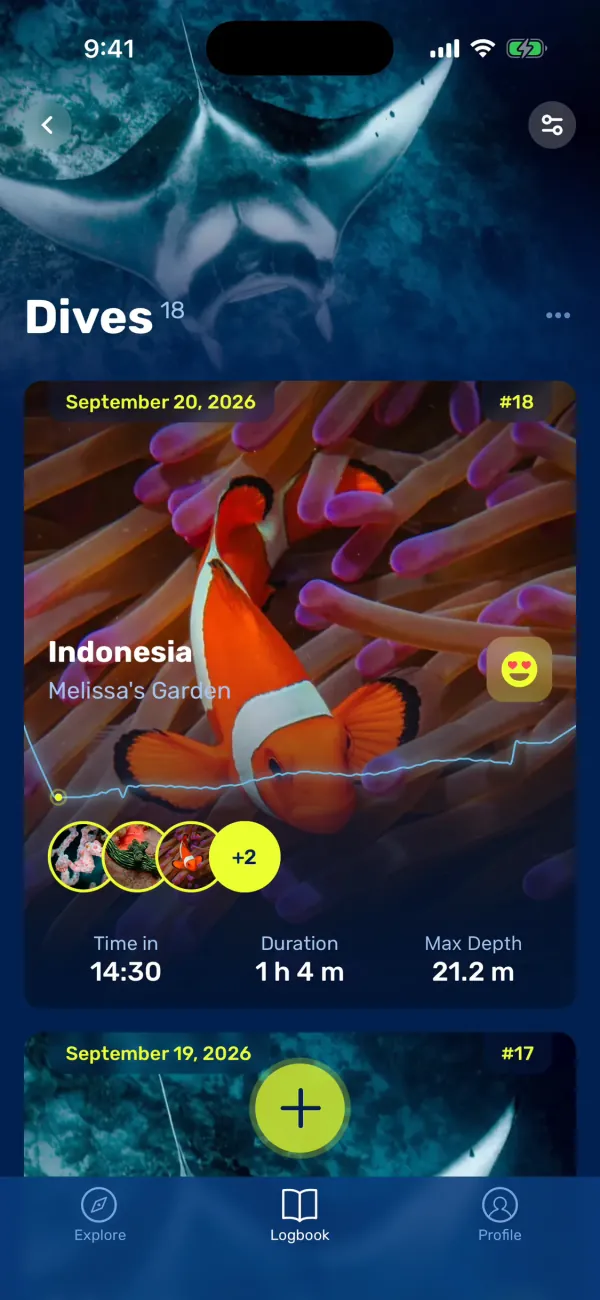
- Dive log with sightings per dive, imports from 108 dive computer models
- Species guide works offline on liveaboards and remote islands
Cons
- Most species pages need Premium, and Offline Mode is a paid add-on
- Photo ID itself needs a connection; photos taken offline are identified when you are back online
- Coverage of some regions, such as Japan, is still thinner than the Indo-Pacific and Caribbean
VerdictIf you dive, this is the one to install. It identified more of our photos than Google Lens, and it keeps what you saw in a dive log instead of a search history.


Best free option
iNaturalist
8.2/ 10
The citizen science network: an AI suggestion first, then real people confirm it.
- Platforms
- iOS, Android
- Species
- All life, worldwide
- Photo ID
- Yes
- Dive log
- Sightings, no dives
- Offline
- Smaller on-device model
- App Store rating
- 4.1 (727 ratings)
- Price
- Free, nonprofit
Pros
- Free, no ads, no paywall
- Experts confirm your observation, which no AI app can match
- Covers everything, not only marine life
Cons
- Not built for diving: no dives, depth or dive sites
- Community confirmation can take days for marine species
- The web photo suggestions require an account
VerdictInstall it next to a dive app if you want your sightings to count for science. As a dive companion it does only half the job.
Best quick lookup
Google Lens
7.6/ 10
Google's visual search, already on most phones.
- Platforms
- iOS, Android
- Species
- No database of its own
- Photo ID
- Yes
- Dive log
- No
- Offline
- No
- Price
- Free
Pros
- Free and already installed on most Android phones
- 7 of 11 correct in our test, very good on well-known species
- Recognised the scuba tank as a tank
Cons
- Gives web pages, not a species page with similar species
- Picks its own crop and sometimes focuses on the wrong thing
- Nothing is saved as a sighting or a dive
VerdictGood for a quick name at the bar after the dive. For anything you want to remember, you need a real app.
Best for kids
Seek by iNaturalist
7.2/ 10
The family version of iNaturalist: point the camera, earn badges.
- Platforms
- iOS, Android
- Photo ID
- Live camera
- Dive log
- No
- Offline
- Yes, on-device model
- App Store rating
- 4.8 (30,921 ratings)
- Price
- Free
Pros
- No sign-up, no ads, no paywall
- Works without a connection
- Fun for children on the beach and while snorkelling
Cons
- Built for live camera use, weaker on photos taken underwater
- Reviewers report wrong answers on less common species
- No dive log
VerdictA great first nature app for a child. Divers will outgrow it after a couple of trips.
Newcomer to watch
Fins - Fish ID
6.9/ 10
A young app for divers that mixes fish ID, a dive log and trip booking.
- Platforms
- iOS, Android
- Photo ID
- Yes, plus guided search
- Dive log
- Yes
- Offline
- Not stated
- App Store rating
- 4.9 (16 ratings)
- Price
- Free, Pro $4.99/mo or $24.99/yr
Pros
- Made for divers and snorkelers
- Guided search when you have no photo
- Dive log built in
Cons
- Very new, only a few hundred installs on Android
- Users report missing regions, such as the Sea of Cortez
- English only
VerdictWorth watching. Today it is too young to recommend over an established dive app.
Best regional field guide
John Hoover's fish guides
6.8/ 10
Snorkel Fish Hawaii, Scuba Fish Hawaii and Easy Fish ID Caribbean: field guides from a marine author.
- Platforms
- iOS
- Species
- 205 to 367 per region
- Photo ID
- No
- Dive log
- Simple sightings list
- Offline
- Yes
- Price
- $8.99 to $9.99 each
Pros
- Expert-written species notes
- Browse by colour, shape and family
- Work without a connection
Cons
- No photo identification
- One region per app, iPhone only
- The Caribbean app calls itself a basic Fish ID 101 guide
VerdictA good digital field guide if you dive only Hawaii or the Caribbean and know what you are looking for.
Best for aquariums
Picture Fish
6.3/ 10
A photo identifier aimed at aquarium keepers and anglers.
- Platforms
- iOS, Android
- Species
- 2,500+ fresh and salt water
- Photo ID
- Yes
- Dive log
- No
- App Store rating
- 4.5 (5,434 ratings)
- Price
- Free, Premium $29.99/yr
Pros
- Simple, fast photo ID
- Care tips for aquarium fish
Cons
- Not updated since 2025 on iOS and 2024 on Android
- Most features behind Premium
- Nothing for divers: no dives, no sites
VerdictFine for the fish in your tank. Not a dive app.
Best for anglers
Fishbrain
6.1/ 10
The largest fishing community app, with a catch log and fishing maps.
- Platforms
- iOS, Android
- Species
- 300+ in Fish ID
- Photo ID
- Yes
- Dive log
- Catch log
- App Store rating
- 4.7 (77,625 ratings)
- Price
- Free, Premium $79.99/yr
Pros
- Huge, active community
- Maps, forecasts and local rules for fishing
Cons
- Identifies about 300 species, mostly game fish
- Reviewers complain about the paywall
- Reef species and invertebrates are out of scope
VerdictExcellent if you fish. Divers will not find their reef here.
Offline keyword guide
Whatfish
5.8/ 10
A marine species guide that lives entirely on your phone.
- Platforms
- iOS
- Species
- 1,300+
- Photo ID
- No
- Dive log
- No
- Offline
- Yes
- Price
- Free, $9.99 unlock
Pros
- Whole database works offline
- English and French
Cons
- Search by keyword only, no photo ID
- No ratings yet, iPhone only
VerdictUseful as an offline reference if you already know roughly what you saw.
What happened to the apps from 2018
Divernet's 2018 review was for years the only independent test of fish ID apps for divers. Much of that list has not survived. Fishes, by Reef Life, once the favourite for offline use, is no longer in the App Store, and its Android version was removed from Google Play in 2024. Several other apps from that era stopped being updated or turned out to be websites rather than apps.
The field has moved from browsing by colour and shape to photo identification. That is why our list now ranks apps mainly on how well they name a fish from a photo, and on whether they keep what you saw after the dive.
How fish identification apps work
A photo identifier sends your picture to an image model trained on millions of labelled photos. The model returns the most likely species and a few alternatives. A good dive app then checks that answer against its own species database, so you get a page with verified photos, size, depth range and look-alikes instead of a bare name.
Underwater photos are harder than photos on land. Water removes red light, backscatter adds noise, and the animal is often camouflaged on purpose. Models trained mostly on land animals and aquarium fish struggle with this, which is why general apps do well on a clownfish and poorly on a flounder on sand.
You can help any app. Shoot the whole animal from the side, get close, use a light or white balance so the colours are real, and include the fins and tail. When the app offers alternatives, compare them: for many reef fish the difference between two species is one stripe or one spot.
How to choose a fish ID app
If you scuba dive or snorkel more than once a year, pick an app that does three things: identifies from underwater photos, shows look-alike species, and saves your sightings with the dive. Seabook does all three best of the apps on this list, and its species guide also works offline on a liveaboard.
If you want to contribute to science, add iNaturalist. If you only need a name once in a while, Google Lens is free and already on your phone. Anglers should look at Fishbrain, and aquarium keepers at Picture Fish.
Questions
What is the most accurate fish identifier app?
In our test on 11 real dive photos, Seabook identified 8 correctly and Google Lens 7. Both missed the hardest subjects, a bobtail squid in sand and a cockatoo flounder. Accuracy depends a lot on photo quality and on how common the species is.
Is there a free fish identifier app?
Google Lens, iNaturalist and Seek are free. Seabook is free to download and to start identifying; Premium unlocks the full species guide, and Offline Mode is a paid add-on.
Can a fish ID app work offline underwater?
No app identifies fish under water, because phones stay in the boat or in a housing without signal. Seabook's species guide works offline with Offline Mode, and photos you take without a connection are identified once you are back online. Seek runs its model on the phone. Google Lens needs a connection.
Can these apps identify nudibranchs, shrimp and corals?
General apps focus on fish. Seabook covers fish, invertebrates and corals, and in our test it named a Pikachu nudibranch and a whip coral shrimp correctly.
Which fish ID app also has a dive log?
Seabook combines photo ID with a dive log that records the species seen on each dive and imports dives from 108 dive computer models. Fins also has a log. iNaturalist keeps sightings but not dives.
Why did my app identify the wrong fish?
Most mistakes come from blue colour cast, partial views and look-alike species. Shoot the whole animal from the side, correct the white balance, and check the alternatives the app suggests.